
Drawquarium Task Manager: Daily Planning and Gameplay Goals
The Drawquarium task manager provides an in-game checklist to organize daily routines, manage study sessions, and track gameplay milestones directly on your desktop. It pairs with the built-in clock and timer so you can plan daily tasks without leaving your cozy aquarium.
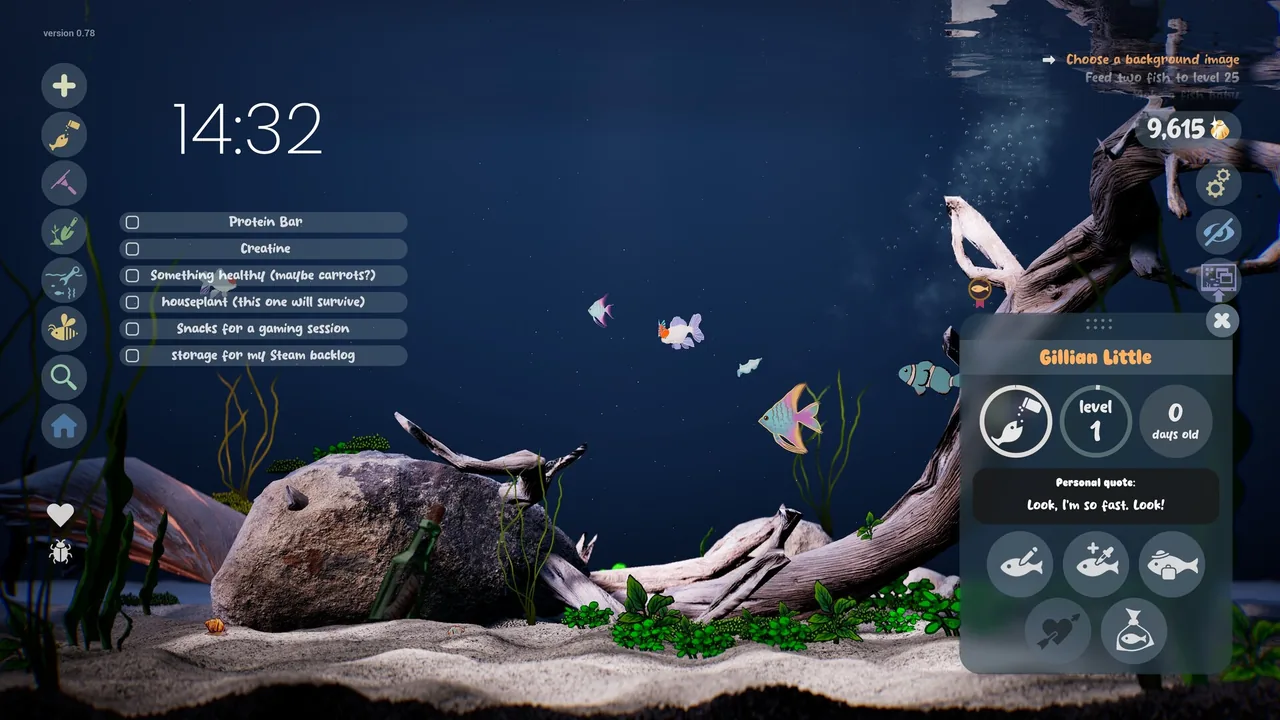
The Drawquarium task manager provides an in-game checklist to organize daily routines, manage study sessions, and track gameplay milestones directly on your desktop. It pairs with the built-in clock and timer so you can plan daily tasks without leaving your cozy aquarium.
Built-in Productivity Tools in Drawquarium
Drawquarium blends aquarium simulation with real-world productivity features. Developer byKaleb added these utilities to transform the fish tank into a functional work companion. Instead of opening separate third-party software while studying or working, you can keep your schedule directly on the screen.
The game includes four primary desk companions:
- Task manager checklist: Lets you write down, track, and complete daily tasks throughout your workday.
- Personal journal: Provides a space to record thoughts, track notes, and jot down quick ideas during breaks.
- Focus timer: Functions as an interval timer, supporting Pomodoro-style work sprints or study blocks.
- Date and clock display: Shows the current time, date, and weekday directly in the aquarium interface, with optional clock customization.
These tools sit alongside your swimming creatures, letting you switch between desk work and peaceful tank viewing.
Daily Task Organization vs Gameplay Goals
Drawquarium handles tasks across two distinct systems: real-world user items and structured in-game milestones. The user checklist holds custom text entries you create for your own schedule. In contrast, the developer introduced a dedicated gameplay goal list to give your aquarium sessions clear progression.
While the user checklist keeps your desk duties aligned, the gameplay task list prompts you to care for creatures, test drawing tools, and gather golden scales. Completing tank maintenance steps helps you earn currency to unlock decorations like custom sand textures, lighting presets, and driftwood.
| Management Tool | Best Situation | Requirement |
|---|---|---|
| User Checklist | Organizing study routines or work assignments | Manual text entry for personal schedules |
| Focus Timer | Working through structured study intervals | Setting timer duration before starting tasks |
| Gameplay Task List | Tracking aquarium milestones and tank progression | Completing specific in-game actions |
Choosing the right tool depends on whether you are working on real-world assignments or progressing your tank habitat.
Combining the Task Manager with Desktop Wallpaper Mode
The productivity tools shine when paired with wallpaper mode. Drawquarium allows you to project your active tank directly onto your Windows desktop background. This keeps your custom fish swimming across your screen behind open windows or on a secondary monitor.
Running the game in wallpaper mode allows your checklist, timer, and clock to remain visible while you browse forums, write documents, or handle spreadsheets. Audio continues smoothly when switching into wallpaper mode, providing ambient water sounds and background music while you work through checklist items.
Maintaining Focus While Caring for Your Fish
Balancing focus work with aquarium interaction keeps breaks intentional. Between focused task sessions, you can step away from your checklist to tend your aquatic habitat:
- Check off completed assignments on your task manager list.
- Clean up leftover food pellets and debris using the aquarium vacuum.
- Take time to feed fish so your drawn creatures grow and produce golden scales.
- Set the countdown timer for your next focused study sprint.
Taking short breaks to vacuum debris or watch fish interact keeps your desk environment calm while ensuring daily goals stay on schedule.
Next step
Timer
Set focus intervals and manage work sessions using the built-in Pomodoro clock and stopwatch while caring for your virtual fish tank.