
Drawquarium Drawing Templates: How to Use Preset Outlines
Drawquarium drawing templates provide preset silhouettes and base structures for fish, aquatic flora, and aquarium decorations. Players select these ready-made outlines during the shape creation phase to color, erase, or modify without constructing every specimen from an empty canvas.
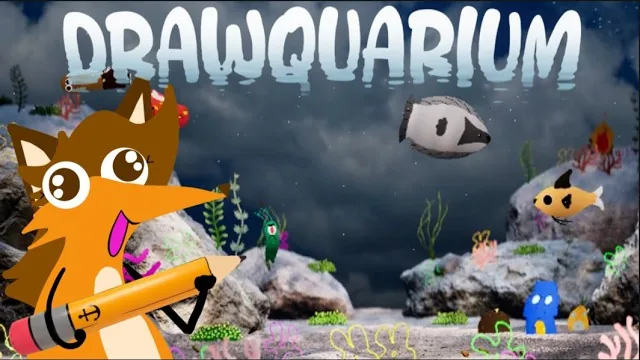
Drawquarium drawing templates provide preset silhouettes and base structures for fish, aquatic flora, and aquarium decorations. Players select these ready-made outlines during the shape creation phase to color, erase, or modify without constructing every specimen from an empty canvas.
Built-in Templates for Fish and Flora
When entering the creation menu via the Add a Thing prompt, the editor presents pre-assembled base designs across two initial categories: aquatic vegetation and swimming creatures. Selecting a preset loads a vector-style silhouette directly onto the canvas, bypassing the manual drafting stage.
The starter catalog for plants includes recognizable structures such as coral branches, dense bushes, single leaves, tall seaweed, and miniature bonsai trees. Placing these elements fulfills early tank objectives, allowing you to draw plants that establish varied background heights. After placing two unique plant designs, the interface grants access to the fish catalog.
The creature selection contains traditional aquatic fauna alongside novelty designs. Standard fish outlines include clownfish, sharks, delicate fins, sunfish, and gilled silverfish. For unconventional tanks, options extend to lobsters, submarines, and skeletal fish. Once loaded, each outline establishes default movement nodes before you colorize and release the pet into the water.
Canvas Editor Tools for Template Customization
Templates serve as starting points that you can alter through several dedicated drawing functions. The editor splits creation into distinct phases: shape painting, colorization, and lighting effects.
During the shape phase, the eraser and brush tools allow you to alter physical contours. You can carve out new mouth shapes, trim fin lengths, or extend tails. Turning on horizontal symmetry mirrors brush strokes across the horizontal axis, while vertical symmetry provides vertical alignment for balanced dorsal layouts. The smooth draw and lazy mouse sliders stabilize input paths, assisting players using standard mouse controls or drawing tablets.
The colorization phase introduces surface treatments:
- Color wheel and custom swatches: Select base tones and store preferred hues into the palette row for consistent tank themes.
- Opacity and flow controls: Lower brush opacity to layer multiple transparent washes, creating soft gradients along spines and bellies.
- Hardness adjustments: Switch between crisp line art for scales and soft-edged airbrushing for highlights.
- Fill bucket and mask brush: Apply solid coats instantly across enclosed shapes, or restrict paint strokes exclusively to existing pixels without bleeding onto the transparent background.
- Wave animation toggle: Enable organic swimming undulation for standard fish, or disable it for mechanical models like submarines.
After applying colors, confirm the creation to drop the specimen into the tank. From there, you can feed fish to accelerate their growth from juveniles into adult specimens.
Decision Table: Selecting the Right Template Base
| Template Category | Best For | Required Adjustments |
|---|---|---|
| Creature Outlines (Clownfish, Shark, Submarine) | Rapid aquarium population with functional swim logic | Add eye pupils, adjust fin opacity, and paint gill accents |
| Flora Presets (Seaweed, Coral, Bonsai) | Establishing foreground depth and rocky bottom cover | Blend color gradients across branches and erase excess tips |
| Structural Blueprints (Desert Hut, Castle) | Distinctive tank centerpieces and specialized habitat zones | Layer flat brickwork textures and align placement on sand |
Progressing to Complex Structures and Custom Presets
Continuing to build your aquarium unlocks higher-tier architectural templates. Placing 30 plants, introducing 10 fish, and setting up a second aquarium unlocks the castle drawing template alongside decorative assets like desert huts and sea mines. These structures sit on the sand substrate or attach directly to rock formations, helping you unlock decorations that diversify tank scenery.
Game progression expands template functionality further. Earning golden scales by maintaining tank cleanliness and caring for aging fish provides access to specialized texture stamps, eye presets, and new structural outlines. You can also save modified shapes as personal custom templates, making it easy to create recurring color variants across multiple tanks whenever you choose to draw fish for your desktop display.
Next step
Import PNG
Bring external PNG artwork into your tank, trim edges with in-game tools, and select movement styles for custom fish.